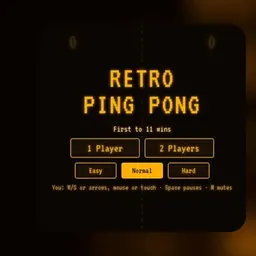
Retro Ping Pong is an arcade table tennis game that brings retro paddle mechanics to modern web browsers. Players control a paddle on the screen to volley a bouncing ball back and forth against a computer opponent or a second player in head-to-head matches.
The game is fun and engaging because it pairs quick reflexes with clever physics and dynamic game modes. Traditional back-and-forth rallies combine with custom rounds featuring surprise obstacles and changing board layouts, making every point tense and fast-paced.
How to play Retro Ping Pong
Retro Ping Pong follows the familiar fundamentals of tabletop tennis. You control a vertical paddle on your side of the playfield, while your opponent defends the opposite boundary. A ball enters the arena, and each player must position their paddle to deflect the ball across the center line before it slips past their defense.
Points are awarded whenever your opponent fails to return the ball. If the ball gets past your paddle and touches your back wall, the opponent scores. Matches are typically played in a race to a target score, demanding steady consistency and sharp anticipation across consecutive volleys.
Paddle physics play a major role in directing your shots. Striking the ball with the center of your paddle produces a straight, predictable rebound, whereas hitting near the upper or lower edges sends the ball flying at sharp, angled trajectories. As rallies continue without interruption, the ball accelerates, forcing both players to react even faster.
Game modes and controls
The browser version of Retro Ping Pong offers straightforward controls designed to work smoothly across school Chromebooks, laptops, and desktop computers.
In single-player matches against the computer AI, you can move your paddle vertically using the Up and Down Arrow keys or the W and S keys. Many browser versions also support direct mouse control, allowing you to slide the paddle smoothly along the edge of the screen by moving your cursor.
In local two-player mode, two players can compete directly on the same keyboard. Player 1 typically controls the left paddle using the W and S keys, while Player 2 controls the right paddle with the Up and Down Arrow keys. This setup makes it easy to jump into a quick multiplayer match with a friend on a single computer.
The game also features distinct game modes. Classic mode delivers standard table tennis rules with pure paddle-and-ball gameplay. Action mode introduces exciting stage variations, adding obstacles, altered gravity, and special stage hazards that test your adaptability alongside your reaction speed.
Tips to win more matches
Consistent success in Retro Ping Pong comes down to solid positioning, patience, and reading the trajectory of the ball early.
Keep your paddle near the vertical center of your court whenever you are waiting for a return. Staying centered gives you equal reach toward the top and bottom walls. If you stay glued to one side of the screen, you leave the opposite corner vulnerable to fast, angled shots.
Take advantage of paddle angles to keep your opponent on the move. Deflecting the ball with the outer edges of your paddle produces sharp diagonal rebounds that force the opposing player to sprint across the board. Changing the angle with every return makes your shots harder to predict.
Pay attention to wall rebounds. When the ball bounces off the top or bottom boundaries, calculate where it will land ahead of time so you can position your paddle smoothly instead of lunging at the last split second. During high-speed rallies, staying calm and moving early is key to avoiding costly errors.
Playing Retro Ping Pong unblocked at school
Retro Ping Pong is an ideal game for quick breaks, study periods, or free time on school Chromebooks. Because it is built with lightweight browser technology, the game launches promptly without needing heavy downloads, external plugins, or account registrations.
School networks sometimes restrict specific websites or web domains. To keep gameplay accessible, this directory provides several alternative server options right above the game screen. If one server link is filtered on your local network, simply click another server button from the list to load the game on an open connection.
Games like Retro Ping Pong
If you enjoy retro arcade challenges and paddle-based reflex games, there are several other titles on this site worth checking out.
Pong offers the timeless original 2D arcade table tennis experience with pure back-and-forth volleys. Idle Breakout combines bouncing ball physics with idle progression mechanics and brick-clearing action. For players looking to test their timing and precision with classic arcade gameplay, Space Invaders and Pacman provide enduring retro fun. If you want faster reaction challenges, games like Slope and Google Snake offer quick, reflex-driven gameplay in your browser.
FAQ
Is Retro Ping Pong unblocked free to play?
Yes, Retro Ping Pong is completely free to play in your web browser. You can enjoy single-player games against the computer or local two-player matches without paying fees or creating an account.
Does Retro Ping Pong work on school Chromebooks?
Yes, the game runs smoothly on school Chromebooks, laptops, and desktop computers. Its lightweight 2D graphics ensure fast loading and responsive performance directly inside standard web browsers.
Can you play Retro Ping Pong with two players?
Yes, Retro Ping Pong includes a local two-player mode where two players share the same keyboard. One player uses the W and S keys while the other uses the Up and Down Arrow keys.
How do you save your progress in Retro Ping Pong?
Match scores and custom settings are stored locally in your browser cache during your active session. Keeping your current browser tab open ensures your game progress and high scores remain saved.
What is the difference between Classic and Action mode?
Classic mode offers traditional pong gameplay focused purely on paddle angles and ball speed. Action mode introduces creative obstacles, moving barriers, and special stage mechanics that change how the ball bounces.
Why do people search for Retro Ping Pong unblocked 66, 76, and 77?
Many students use search terms like Retro Ping Pong unblocked 66, unblocked games 76, and unblocked games 77 when trying to find working links on restricted networks. This page gathers multiple verified server links in one location so you can play without searching across multiple sites.