Other servers
If one server is slow or blocked on your network, try the next one.
1 of 1 servers answered our daily check, last run
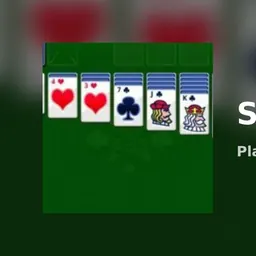
Play Solitaire is a free browser version of Klondike, the seven-column card game most people simply call solitaire. There is nothing to download and no account to create; you open the page and a fresh deal is waiting.
The aim is to move all 52 cards onto four foundation piles, one per suit, building each from ace up to king. You get there by sorting the seven columns on the table and working through the stock pile.
Key features
- Two draw modes: Easy turns one card at a time, Hard turns three.
- Unlimited undo: Rewinds the cards, the score and the move count together.
- Live counters: A timer, score and move counter sit at the top.
- Automatic finish: Once every column is face up, the game completes the deal for you and shows a win animation.
- Sound toggle: A speaker icon mutes or unmutes the effects.
How to play Play Solitaire
- Look at the seven columns. Twenty-eight cards are dealt out and only the last card in each column is face up.
- Build columns downward in alternating colors, for example a red seven on a black eight.
- Fill an empty column only with a king.
- Turn cards from the stock, which holds the other 24 cards, and play them onto columns or foundations.
- Send cards to the four foundations in suit order, ace to king.
- Clear all face-down cards and the game finishes itself with a Play again panel.
Controls
Move cards or runs between columns: drag and drop with mouse or touch
Turn the stock: click or tap it
Recycle the waste pile: tap the empty stock slot
Auto-play a card: single click or tap
Undo a move: UNDO button
New deal: NEW button
Mute: speaker icon
Keyboard shortcuts and a hint button are not available.
Easy and Hard modes, and scoring
On Easy you turn a single card at a time, and a single click also auto-plays face-up column cards. On Hard you turn three cards at a time, and only the top card of the fan can be played.
Points are earned like this:
+5: waste card to a column
+10: waste card to a foundation
+15: column card to a foundation
+5: each face-down card revealed
-15: pulling a card back off a foundation
Recycling the waste pile costs 100 points on Easy, and the score never drops below zero. On Hard, recycling is free.
Tips and strategy
Reveal face-down cards first; each one is worth points and opens up more moves.
Before you move a card to a foundation, check whether a column still needs it as a base for a run.
Save an empty column for a king that is ready to move, instead of filling it with the first king you meet.
On Easy, think before recycling the waste pile, since it costs 100 points.
Use undo freely to test a line of play, because it also restores your score.
Versions and similar games
The Easy and Hard draw modes are the two versions of the deal in this game. If you like card-pile logic, Google Solitaire on this site follows the same idea. For a quick change of pace, Pong and Retro Ping Pong are short arcade rounds.
Development notes
Nothing is stored in the browser, so closing the tab ends the deal and the next visit starts from a new shuffle. There are no saved games, statistics or daily deals.
FAQ
What kind of solitaire is this?
It is Klondike: seven columns, a 24-card stock and four foundation piles.
What is the difference between Easy and Hard?
Easy turns one card from the stock at a time. Hard turns three and only the top card of the fan is playable. Recycling also costs points on Easy only.
Can I undo a move?
Yes. Undo is unlimited and it rewinds the score and move count along with the cards.
Does the game save my progress?
No. Nothing is stored in the browser, so each visit starts with a new deal.
Does it work on a Chromebook or phone?
Yes. You can drag cards with a mouse or by touch and no keyboard is needed. If one server will not load on your network, try another from the list above.
Is there a hint button?
No hints and no keyboard shortcuts are available, so planning is up to you.