Other servers
If one server is slow or blocked on your network, try the next one.
1 of 1 servers answered our daily check, last run
Pong is a browser remake of Atari's 1972 table-tennis game. This version was built in Construct 2 by Twisted By Art and runs in the page with no download and no sign-up.
Two paddles, one ball. You slide your paddle up and down to return the ball, and the first side to reach 11 points wins. You can play the computer or share the screen with a friend.
Key features
- Two modes: one player against the computer, or two players on one keyboard or touchscreen.
- Three difficulty levels: Easy, Normal and Hard.
- Matches to 11: A clear finish with WINNER and LOSER banners.
- Fullscreen: Double-click or double-tap the menu screen.
- Wide support: It scales to desktops, Chromebooks, tablets and phones, with phones held sideways.
How to play Pong
- Choose one player or two players from the menu.
- In one-player mode, pick Easy, Normal or Hard.
- Move your paddle to meet the ball and send it back.
- Each ball that passes the other paddle scores a point for you.
- A new ball is served from the center line after a short delay.
- The first side to 11 wins, and the ball disappears when the match ends.
Controls
- Left paddle: W and S keys, or hold and drag with a mouse or finger
- Right paddle in two-player mode: Up and Down arrow keys, or drag on the right half of the screen
- Choose menu options: click or tap
- Back to the menu after a game: Enter or double-tap
- Quit during a game: double-click the home button at the bottom center
Ball speed and difficulty
The serve is slow. After the ball touches a paddle for the first time it jumps to 2.5 times the serve speed and stays that fast for the rest of the rally. Nearly vertical angles are straightened toward horizontal, so the ball never just bounces straight up and down.
The difficulty setting changes only how fast the computer's paddle moves. In two-player mode the computer is switched off completely.
Tips and strategy
Use the slow serve to get your paddle in place before the first hit; after that the ball moves much faster.
Start on Easy to learn the timing, then move up once you can finish a match.
Stay near the middle of your side so you can reach both corners.
In two-player games, agree on who uses which keys before the first serve.
There is no pause button, so settle any interruptions before you serve.
Versions and similar games
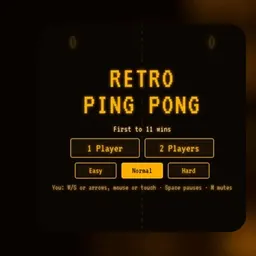
Retro Ping Pong on this site is another take on the same game with an amber screen look. For other arcade classics, try Atari Breakout or Rolly Vortex.
What is not included
This version has no online play, no pause, no high scores and no saved results. Every game starts at 0-0.
FAQ
Who made this Pong?
This version was built in Construct 2 by Twisted By Art. The original Pong came from Atari in 1972.
How do you win?
Be the first side to reach 11 points.
Can two people play?
Yes. Two players can share one keyboard or touchscreen. The left player uses W and S and the right player uses the Up and Down arrows.
Does it work on phones and Chromebooks?
Yes. You can drag your paddle with a finger, and the game scales to Chromebooks, tablets and phones held in landscape. If one server will not load on your network, try another from the list above.
Does Pong save my score?
No. There are no high scores or saved results, and each game starts at 0-0.
What do the difficulty levels change?
Only the speed of the computer's paddle.