Other servers
If one server is slow or blocked on your network, try the next one.
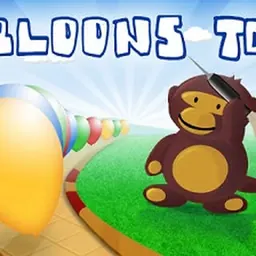
Bloons TD is the original tower defense classic that started one of the most famous strategy franchises on the web. In this timeless browser game, players take command of a troop of dart-throwing monkeys stationed along winding dirt pathways. Your objective is simple yet endlessly addictive: pop every incoming balloon before it travels across the map and escapes off the screen.
The enduring appeal of the game comes from its satisfying progression and straightforward strategic choices. Each popped balloon yields coins that you can immediately reinvest into new defensive towers or valuable upgrades. Balancing your budget between early-game coverage and powerful late-game artillery creates an engaging challenge that keeps every round exciting.
How to play Bloons TD
In Bloons TD, colored balloons enter the map from one side and follow a designated path toward the exit. If a balloon completes the track without being popped, you lose lives from your starting total. If your life counter drops to zero, the game ends. You win by surviving all incoming waves and clearing every balloon from the board.
Different balloon colors indicate varying levels of speed and durability. Basic red balloons pop with a single hit, while stronger balloons like blue, green, and yellow contain faster inner layers that require multiple darts to eliminate completely. As waves grow denser and faster, placing defenders with high attack speed, wide area coverage, and long range becomes critical to maintaining control.
Controls and tower placement
Bloons TD uses intuitive point-and-click controls that make it easy to manage your defenses on any desktop computer, laptop, or school Chromebook. You can control the entire game using just your mouse cursor or trackpad.
To place a defensive unit, click on any monkey or tower icon from the right-hand menu and move your cursor over the map to find an open spot. A circular outline indicates the attack range of the selected tower. Click the left mouse button to lock the unit in place. Selecting an existing tower opens an upgrade menu where you can increase its firing range, projectile speed, or piercing ability using coins earned from popping balloons. When your defenses are ready, click the start round button to release the next wave.
Tips and strategies for popping bloons
Effective positioning is the foundation of a winning defense. Place single-target attackers like Dart Monkeys along long straightaways so their darts have multiple chances to hit targets. Position multi-directional units like Tack Shooters at sharp curves and intersections where balloons bunch together, allowing their circular bursts to hit multiple targets at once.
Do not overlook the power of specialized artillery as rounds advance. Cannons and bomb towers deal heavy area damage that can shred tightly packed groups of balloons in seconds. Ice towers slow down swift targets, giving your primary attackers extra time to deliver decisive hits. Upgrading existing units is often more cost-effective than scattering low-level monkeys across the entire map, as upgraded towers gain substantially improved range and pierce.
Playing Bloons TD unblocked at school
Bloons TD is a favorite choice for students looking for quick strategic entertainment during study breaks, free periods, or lunch on school Chromebooks. Because school network filters sometimes restrict individual web domains, our directory features multiple server buttons right below the main title.
If one server link is filtered on your school network, simply try another server button from the list above. The game runs directly in your standard web browser without needing downloads or installations, letting you jump straight into balloon-popping action on any school laptop or home computer.
Games like Bloons TD
If you enjoy path-based tactical defense and unit management, there are several other fantastic titles available on our directory that deliver similar gameplay.
Fans of strategic defense will enjoy Plants vs Zombies, where you deploy sun-powered flora to hold off comical waves of zombies across lawn lanes. For an adventurous role-playing twist on the genre, Pokemon Tower Defense lets you capture, train, and position favorite creatures along winding routes to defeat wild opponents. If you want to explore more balloon battles in the same universe, Bloons Tower Defense offers additional classic monkey defense action.
FAQ
Is Bloons TD unblocked free to play?
Yes, Bloons TD is completely free to play directly in your web browser. You can build towers, upgrade your units, and complete all waves without any hidden fees or account registration.
Can you play Bloons TD on a school Chromebook?
Yes, the browser edition of Bloons TD runs smoothly on school Chromebooks and low-spec laptops. It requires minimal system resources and operates within any modern web browser.
How do you save your progress in Bloons TD?
Your level completion and high scores are saved locally in your browser storage cache. To keep your progress, continue playing on the same device and browser without clearing your local browsing data.
Who developed Bloons TD?
Bloons TD is provided by Poki in this browser edition, offering the original tower defense experience in a convenient web format.
Why do players search for Bloons TD unblocked 66, 76, and 77?
Many students search for Bloons TD unblocked 66, unblocked games 76, and unblocked games 77 when looking for working versions on school networks. Our directory provides working server buttons at the top of the page so you can play without searching for mirror websites.
What is the best tower to start with in Bloons TD?
Starting with a couple of Dart Monkeys near the track entrance is the most effective opening move. They are inexpensive and reliably clear early red balloons, allowing you to save money for Tack Shooters and Cannons in later rounds.