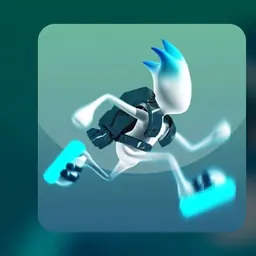
G Switch is an exhilarating gravity-running arcade game where you take control of a futuristic cyborg sprinting through high-tech obstacle courses. Rather than jumping over hazards like in traditional platformers, your runner relies on a gravity-inversion device to flip instantly between the floor and the ceiling. As your runner dashes forward automatically at blistering speeds, you must time your gravity flips perfectly to cross gaps, evade walls, and survive lethal traps.
The core excitement of G Switch comes from its fast-paced reflex challenges and chaos-filled multiplayer action. Solo players can tackle intricate single-player levels or strive for a high score in endless survival mode, while groups of friends can compete in frantic local multiplayer on a single keyboard. The simple one-button mechanic makes the game immediately accessible yet endlessly challenging.
How to play G Switch
In G Switch, your runner sprints forward continuously across intricate futuristic tracks filled with obstacles, pits, and vertical structures. Because you cannot stop or adjust your running speed manually, your survival depends entirely on reversing gravity at the exact right moment. Pressing the action button flips your character upside down to run along the ceiling, and pressing it again drops you back down to the floor.
Timing is essential because you can only invert gravity while your character is firmly running on a surface. If you trigger a flip while suspended in mid-air, you must wait until you land on a new platform before you can flip again. Missing a platform or mistiming a flip sends your runner flying off the screen or plummeting into empty space, resetting your run or eliminating you from the current round.
Controls and game modes
G Switch is famous for its simple one-button control scheme, making it easy to play on any standard laptop or school Chromebook without complicated setups. In single-player mode, you can invert gravity using the Left Mouse Button, the Spacebar, or the Up Arrow key.
The game features several distinct gameplay modes to test your skills. Single-player mode guides you through a series of increasingly difficult stages designed to test your memory and reaction time. Endless survival mode challenges you to sprint as far as possible along a randomized course where speed ramps up over time. Local multiplayer mode allows multiple players to share a single keyboard, each using an assigned key to flip gravity and race to see who can survive the longest.
Tips to get better at G Switch
Mastering G Switch requires sharp reflexes, route memorization, and steady composure. One of the best strategies is to keep your eyes focused on the upcoming platforms ahead of your character rather than looking directly at your runner. Spotting approaching obstacles early gives your brain time to calculate the right moment to switch surfaces.
Pay close attention to platform lengths and gap sizes. When approaching a large opening with no ceiling above it, flipping gravity too early can launch your character into open space with nothing to land on. Wait until a solid ceiling or floor is directly above or below your runner before initiating a flip.
Practice staying calm when the running speed increases. Panicking often leads to rapid tapping on the flip key, which can ruin your alignment on narrow platforms. In multiplayer rounds, focus on your own runner's path rather than getting distracted by the chaotic movements of your opponents.
Playing G Switch unblocked at school
G Switch is one of the most popular browser games for students looking for quick multiplayer fun or a solo reflex challenge on school Chromebooks during recess, free periods, or study breaks. Because school network configurations sometimes restrict certain gaming portals, this page provides several working server links located directly beneath the game title.
If one server is filtered or inaccessible on your school connection, simply try another server button from the list above to find an active version. The game runs directly inside any modern web browser without requiring extra software downloads, plugins, or account registration.
Games like G Switch
If you enjoy the fast-paced gravity flips and intense platforming of G Switch, several other fantastic titles on this site offer similar reflex-testing excitement.
For another iconic space runner with dynamic gravity shifting, Run 3 lets you sprint through 3D cosmic tunnels and rotate walkways in deep space. If you love rhythmic obstacle dodging and precision timing, Geometry Dash and Geometry Dash Lite offer pulse-pounding stages set to energetic music. For high-speed reflex running down steep 3D tracks, Slope and Tunnel Rush deliver exhilarating endless challenges. You can also test your agility with physics-based acrobatics in Stickman Hook and OvO.
FAQ
Is G Switch unblocked free to play?
Yes, G Switch is completely free to play directly in your web browser. You can access single-player levels, endless mode, and local multiplayer without paying any fees or creating an account.
Does G Switch run smoothly on school Chromebooks?
Yes, G Switch is lightweight and well optimized for browser play, making it run smoothly on standard school Chromebooks and laptops without lag or heavy hardware demands.
How many players can play G Switch on one computer?
G Switch supports local multiplayer on a single device, allowing up to six or eight players to compete simultaneously on one keyboard. Each player is assigned a specific key to control their character's gravity flips during the race.
How do you save your progress in G Switch?
Your unlocked levels and high score records are saved automatically in your web browser local storage. As long as you use the same browser and device without clearing your browsing data, your progress will remain saved.
Why do players search for G Switch unblocked 66, 76, and 77?
Students often search for terms like G Switch unblocked 66, unblocked games 76, and unblocked games 77 when trying to find reliable links to play during school breaks. This page gathers active server buttons in one place so you can play without searching through mirror sites.
Can you flip gravity while falling in the air?
No, in G Switch you can only flip gravity when your character is in physical contact with a running surface. Once you are airborne, you must wait until your runner lands on a floor or ceiling before switching gravity again.