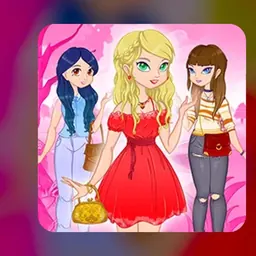
Dress Up Games is a free browser game where you style a character from head to toe. You pick clothes, shoes, hairstyles, accessories and backgrounds, then see how the finished look comes together. There is no timer and no score to chase, so you can take your time and try ideas as they come to you.
The fun is in the mixing. A plain top can become a whole new outfit with the right jacket, and a small change like a different hair color can shift the entire mood. It is a relaxed, creative break that fits into a short free period, and it runs right in the browser on a school Chromebook.
How to play Dress Up Games
Start by looking at the character in the middle of the screen. Around it you will find menus or icons for different categories, usually things like tops, bottoms, dresses, shoes, hair, makeup and accessories. Choose a category, then click an item to put it on the character straight away.
If you do not like how something looks, click another item in the same category to swap it, or use the remove option to take it off. Keep going until the outfit feels finished. Many versions also let you change the background so the whole scene matches your style.
Controls
Dress Up Games is played almost entirely with the mouse or trackpad. Click a category, click an item, and it appears on the character. On a touchscreen Chromebook you can tap instead of click.
There is no need for the keyboard in most versions. Exact buttons can differ a little from one version to another, so look for icons such as a reset arrow, a shuffle button or a save and screenshot option.
Tips to get better
Pick a theme before you start. Something like a school day outfit, a summer beach look or a party style gives you a plan, and every choice becomes easier.
Stick to a small color palette. Two or three colors that go well together usually look better than a bit of everything. Choose one standout piece, such as a bold jacket or bright shoes, and keep the rest simple so it does not get messy.
Do not forget the small details. Accessories, hair and a matching background often make the difference between a good outfit and a great one. If you are stuck, use a shuffle or random option if one is available, then change the parts you like least.
Playing Dress Up Games unblocked at school
Dress Up Games runs in your browser, so there is nothing to install. That makes it a good fit for Chromebooks that do not allow new software. Use the play buttons at the top of this page to start the game.
School networks sometimes block a particular site. If that happens, go back to the play buttons and try another server when more than one is listed. Lists like unblocked games 66, unblocked games 76 and unblocked games 77 often carry similar titles, but the buttons here are the quickest way to get a working copy. Please play only when your teacher says it is fine, such as during free time.
Games like Dress Up Games
If you enjoy styling characters, browse the Dress Up category on this site for more. You will find other games where you design outfits, decorate characters or make creative choices without any pressure.
Creative games with no timer are a good match too. Coloring games, decorating games and simple design games all give you the same calm, make-it-your-own feeling.
FAQ
Is Dress Up Games free to play?
Yes. You can play Dress Up Games in your browser for free. There is nothing to download and no account is needed to start.
Does Dress Up Games work on a Chromebook?
Yes. It runs in a normal browser tab, so it works on Chromebooks as well as laptops and desktops. A mouse, trackpad or touchscreen is all you need.
Can I save my outfit?
That depends on the version. Many dress up games offer a save or screenshot button. If yours does not, you can take a screenshot of your finished look with the Chromebook screenshot shortcut.
What is Dress Up Games unblocked 66, 76 or 77?
Those numbers come from game lists such as unblocked games 66, 76 and 77 that collect browser games for school. Dress Up Games unblocked 66, 76 and 77 all refer to the same kind of game: a free browser dress up game. Use the play buttons on this page to start it.
What if the game will not load at school?
Try another server button on this page if more than one is shown, refresh the tab, or try again a little later. Some networks block certain sites at certain times.
Do I need to be good at games to enjoy it?
No. There are no enemies, levels or time limits to worry about. It is about creativity, so there is no wrong way to play.