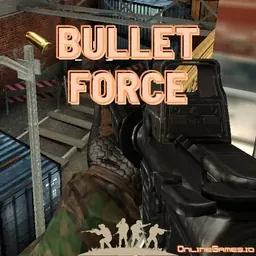
Bullet Force is an action-packed 3D first-person shooter that brings high-intensity tactical gunplay directly to your web browser. Featuring detailed 3D combat arenas, an extensive arsenal of modern firearms, and fast multiplayer matchmaking, the game offers a full FPS experience without requiring large file downloads. You can jump straight into competitive lobbies, join active servers, and engage in pulse-pounding firefights against players from around the world.
What makes Bullet Force so compelling is its smooth gunplay and dynamic pacing. From close-quarters skirmishes in tight corridors to long-distance sniper duels across open courtyards, every encounter tests your accuracy, reflexes, and tactical positioning. With multiple game modes, customizable weapon attachments, and instant browser performance, it is an ideal choice for quick competitive sessions during school breaks or free periods.
How to play Bullet Force
The main goal in Bullet Force is to eliminate opponents, support your teammates, and lead your side to victory across various multiplayer game modes. When entering a match, you select your preferred weapon loadout consisting of a primary weapon, secondary sidearm, and tactical equipment before spawning onto the battlefield.
Matches take place in diverse 3D environments with distinct choke points, elevated vantage spots, and flanking routes. Popular game modes include Team Deathmatch, where the team with the most eliminations wins before the timer expires; Free for All, a chaotic solo showdown where every player fights for themselves; Gun Game, where each elimination awards a new weapon; and Conquest, where teams battle to capture and hold strategic objective points across the map.
Controls and keybinds
Bullet Force uses responsive first-person shooter controls familiar to PC and Chromebook gamers. Movement is controlled using the W, A, S, and D keys, while pressing the Spacebar allows you to jump over obstacles. Hold Left Shift to sprint across open ground, and press Left Ctrl or C to crouch behind cover, which also stabilizes your crosshair and reduces weapon recoil.
Aiming and shooting rely on your mouse. Move your mouse to look around and aim, click the Left Mouse Button to fire, and click or hold the Right Mouse Button to aim down sights for improved precision. Press R to reload your weapon, press G or F to throw a grenade, and press 1, 2, and 3 or roll the mouse wheel to cycle between your primary weapon, secondary pistol, and combat knife. Press Tab to open the in-game scoreboard and review current match statistics.
Tips and tactics to get better
Improving your performance in Bullet Force requires good crosshair discipline, map knowledge, and tactical patience. Keep your crosshair positioned at head or chest level when rounding corners rather than pointing at the ground. This pre-aiming technique reduces the time needed to adjust your aim when an enemy appears, giving you an immediate advantage in sudden shootouts.
Learn the layout of each map to anticipate enemy movement paths and avoid dangerous open areas. Use cover effectively by peeking out to take shots and ducking back to reload safely. Always reload during quiet moments rather than in the middle of a gunfight, and switch to your secondary pistol if your primary magazine runs dry during an active duel.
Make good use of sound cues and radar information. Listening for footsteps, reloads, and nearby gunfire allows you to predict enemy approaches before they round the corner. Crouching while firing at medium to long distances significantly tightens your bullet spread, making burst fire much more reliable than continuous spraying.
Playing Bullet Force unblocked at school
Many students like to play Bullet Force unblocked on school Chromebooks and laptops during study breaks, lunch hours, or free class time. Because school network filters can sometimes restrict access to individual gaming links, our directory provides several active server buttons located right below the main heading.
If one server link is filtered on your school connection, simply try another server button from the list above. Bullet Force runs natively in standard web browsers using WebGL technology, meaning you can enjoy smooth 3D action without installing software, configuring extensions, or needing administrative permissions.
Games like Bullet Force
If you enjoy the fast shooting, tactical combat, and competitive action of Bullet Force, our directory offers several other exciting browser games to explore.
For fast-paced third-person combat with building mechanics, 1v1.LOL offers quick arena duels and competitive matchmaking directly in your browser. If you enjoy battle royale survival and tactical shooting, Fortnite provides expansive island combat and building challenges. For high-speed reflex testing and arcade momentum, games like Tunnel Rush, Run 3, and Slope deliver thrilling reaction-based challenges that run smoothly on any school Chromebook.
FAQ
Is Bullet Force unblocked free to play?
Yes, Bullet Force is completely free to play directly in your web browser. You can access multiplayer matches, public lobbies, and all core game modes without any mandatory payments or subscription fees.
Does Bullet Force work on school Chromebooks?
Yes, Bullet Force runs in standard web browsers on school Chromebooks and laptops. Because it uses 3D WebGL graphics, you can adjust visual settings in the options menu to ensure smooth frame rates on lower-powered devices.
How do you save your settings and custom loadouts?
Your game settings, sensitivity levels, and control preferences are saved locally in your browser cache. If you log into an account within the game interface, your customized weapon loadouts, unlocks, and player statistics will be saved across sessions.
Can you play Bullet Force multiplayer with friends?
Yes, Bullet Force features an active multiplayer lobby system. You can join the same public server as your friends or set up custom matches with specific map selections and game rules to compete together.
Why do players search for Bullet Force unblocked 66, 76, and 77?
Terms like Bullet Force unblocked 66, unblocked games 76, and unblocked games 77 are frequently searched by students looking for accessible mirror versions. Our directory provides working server buttons directly on this page so you can jump into matches without searching through external mirror catalogs.